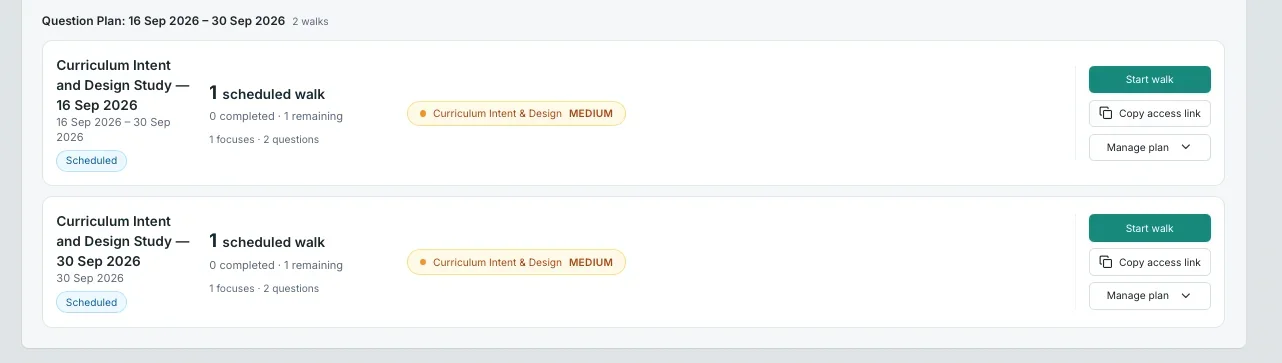
Create Question Plan
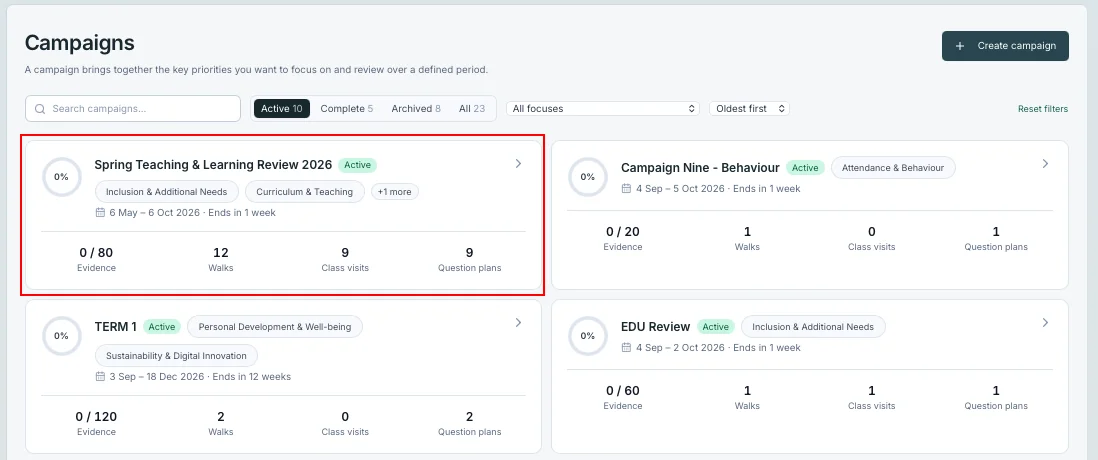
To create a new Question Plan, start by selecting the Campaign you want to add it to from the Campaigns screen,
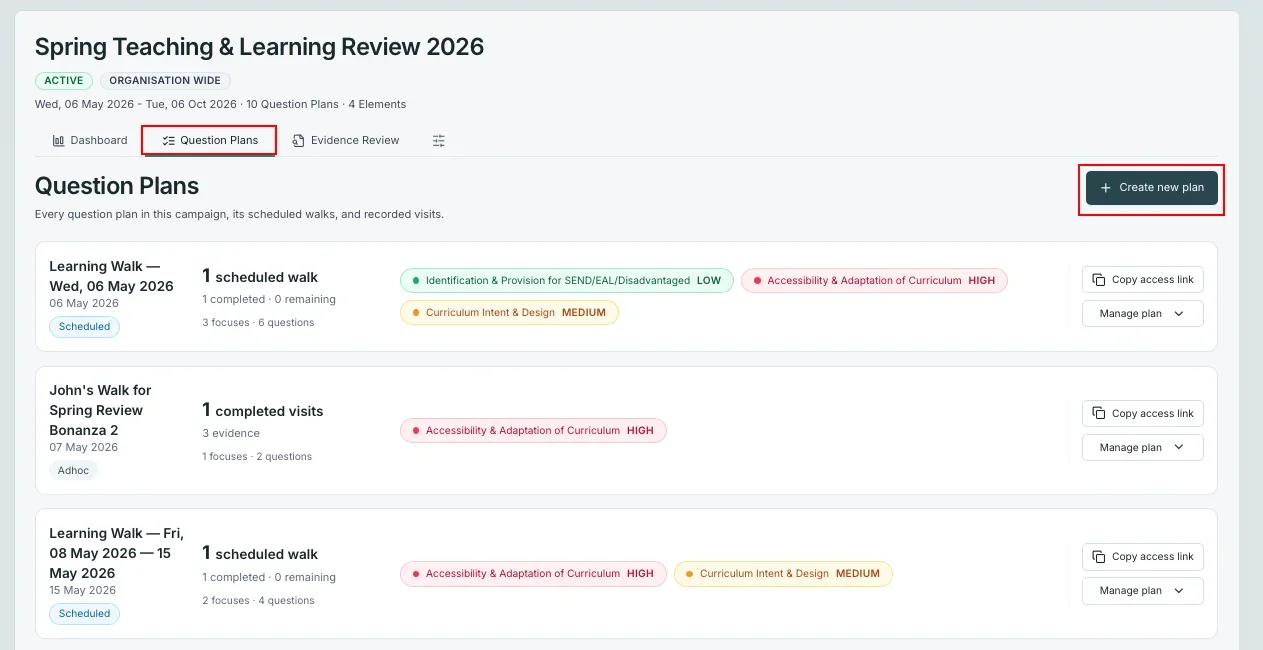
Once you have opened the Campaign, select the Question Plans tab and click Create new plan.
A side panel will open where you can set up your new Question Plan. Start by giving the plan a name, then select the Focus Areas you want to include. The panel shows the priority level of each Focus Area, as well as how often it has already been used within the Campaign, helping you choose the areas you want to focus on.
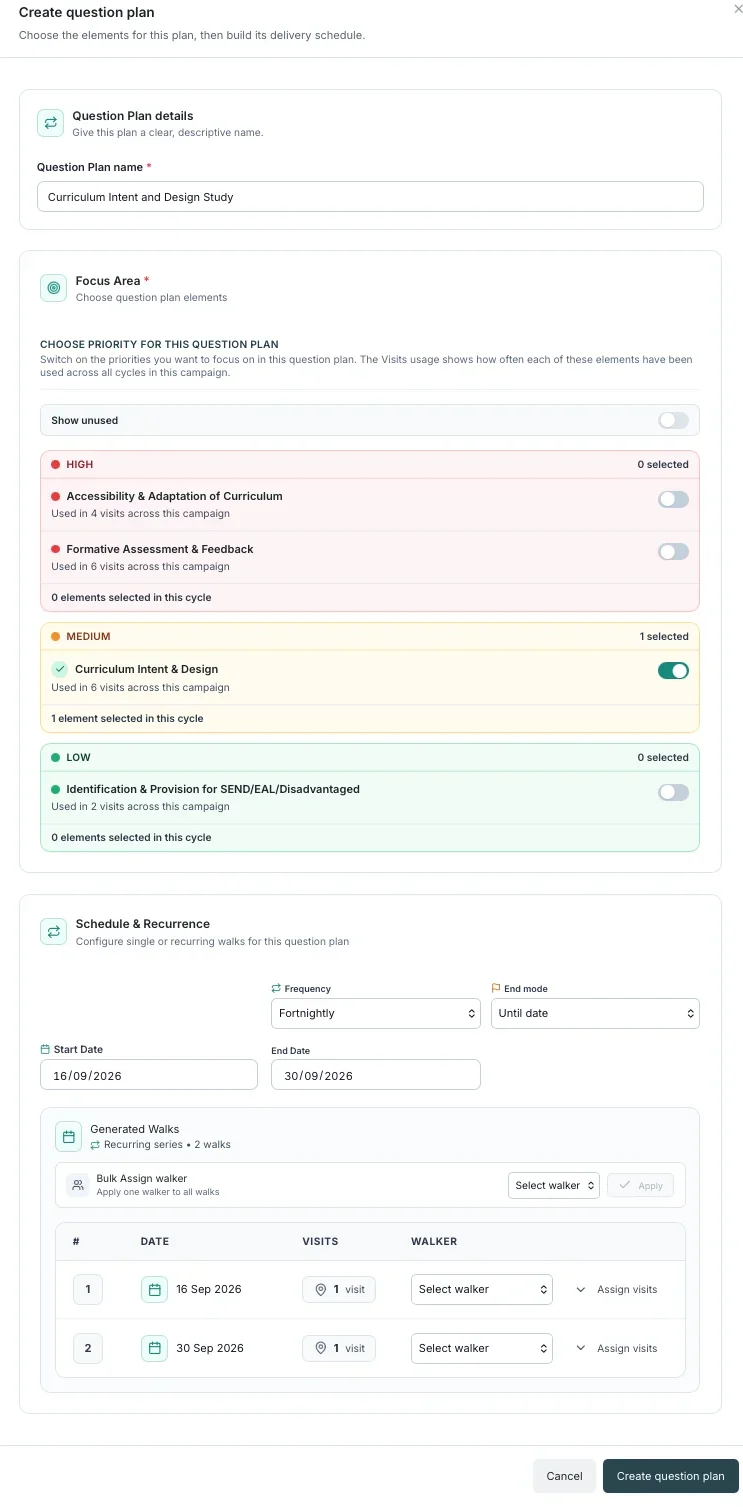
At the bottom of the panel, you can set the schedule and recurrence for the walks associated with the Question Plan. Choose how frequently you want the walks to take place, then select the end mode, either after a set number of weeks, when the Campaign ends, or until a specified date. You can then set the start and end dates for the schedule and recurrence.
Once you have made your selections, click Create question plan. Your new Question Plan will then appear within the Question Plans tab.