Edit a Campaign
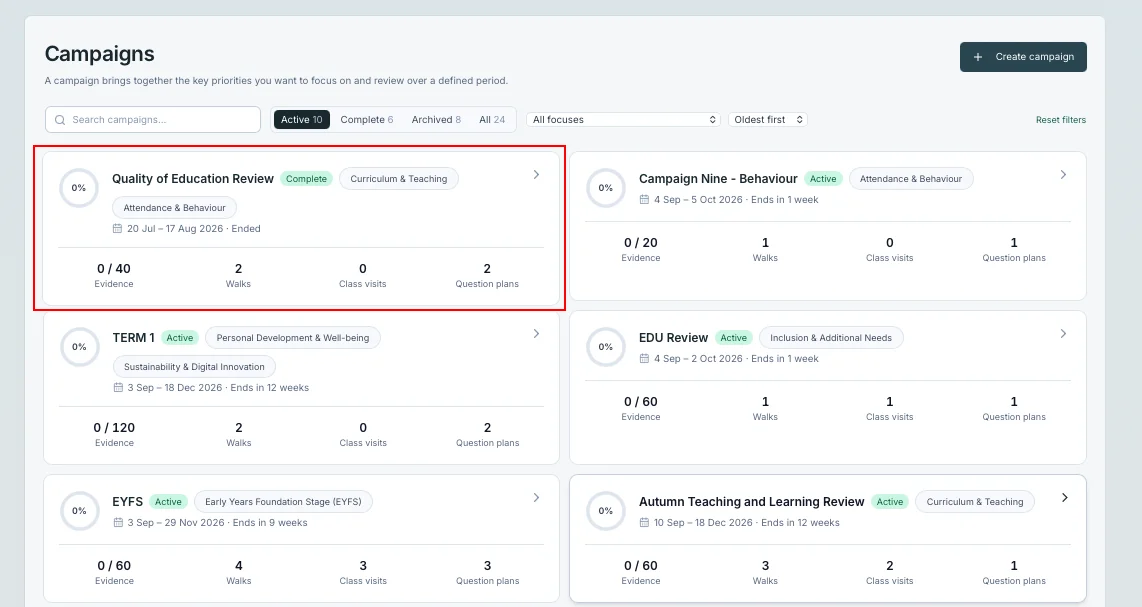
To edit a campaign, go to the Campaigns tab and click on the relevant Campaign to open it.
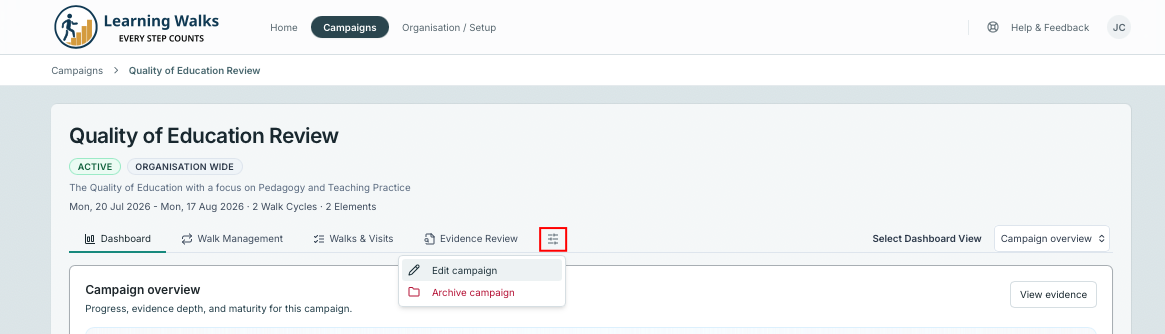
Next, click the Sliders icon beside the Evidence Review button and select Edit Campaign.
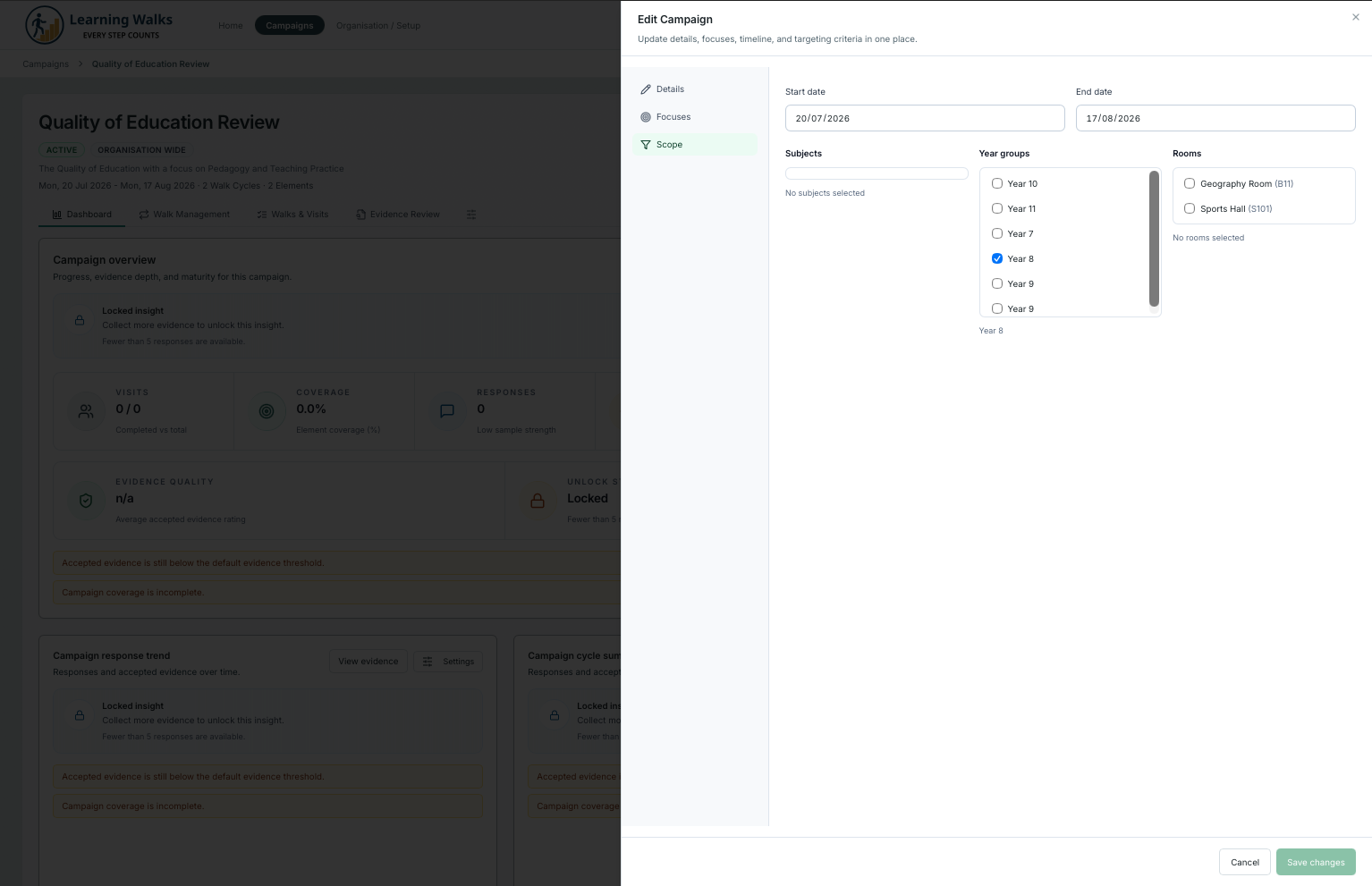
A side panel will open, giving you quick edit options for the campaign, including the details, focus areas and scope. Once you have finished making changes, click Save Changes.