How to add and remove photos or attachments V2
During a Classroom Visit, you can add photographs, videos and attachments to support the evidence you're collecting. Evidence can be linked to individual questions or added to the Classroom Visit as a whole.
Adding evidence to a question
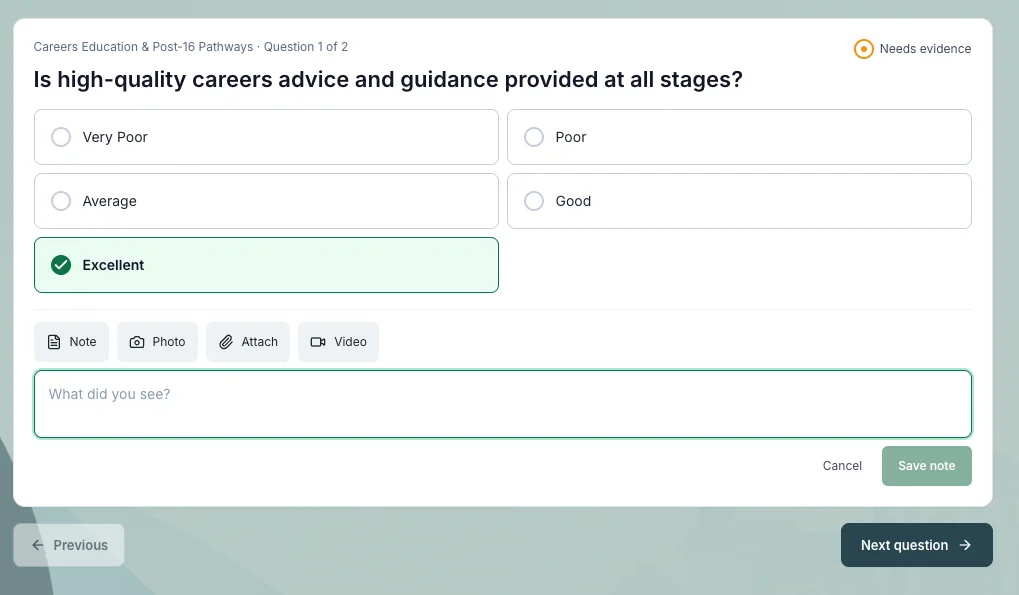
When answering a question, you'll see several options for capturing supporting evidence:
- Photo: Take a photograph using your device's camera.
- Attach: Upload an existing file or image from your device.
- Video: Record a video to support your answer.
- Note: Add written evidence to provide further context.
Select the relevant option and follow the prompts to capture or upload your evidence.
Adding evidence to your Classroom Visit
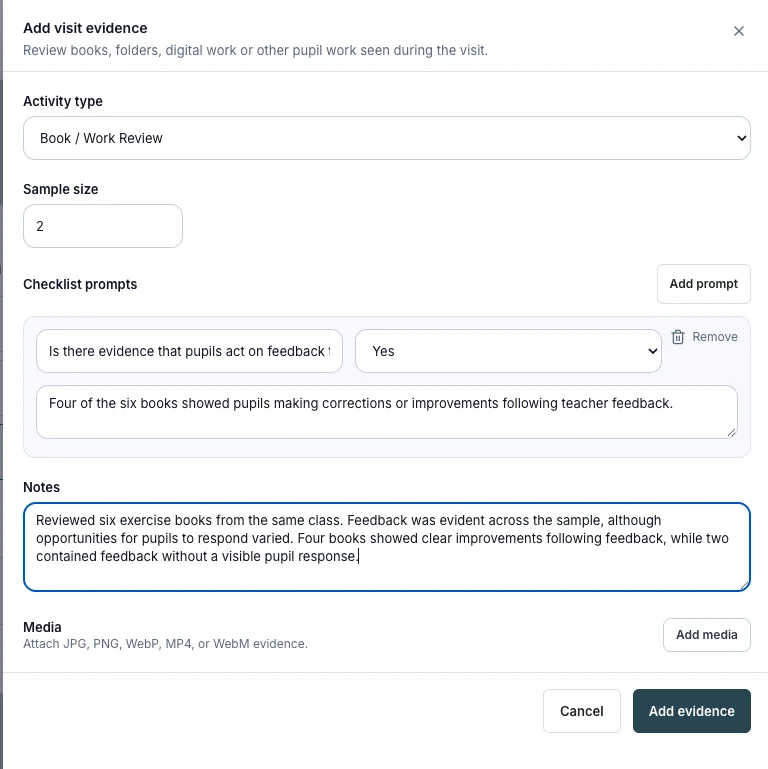
You can also add supporting evidence that isn't linked to a specific question.
Select Add Visit Supporting Evidence at the bottom of your Classroom Visit to open the Add Visit Evidence panel.
Here, you can select an activity type, add notes and checklist responses, or use Add Media to attach photographs or videos relevant to the wider visit.
Once you've added your information, select Add Evidence to save it.
Removing evidence
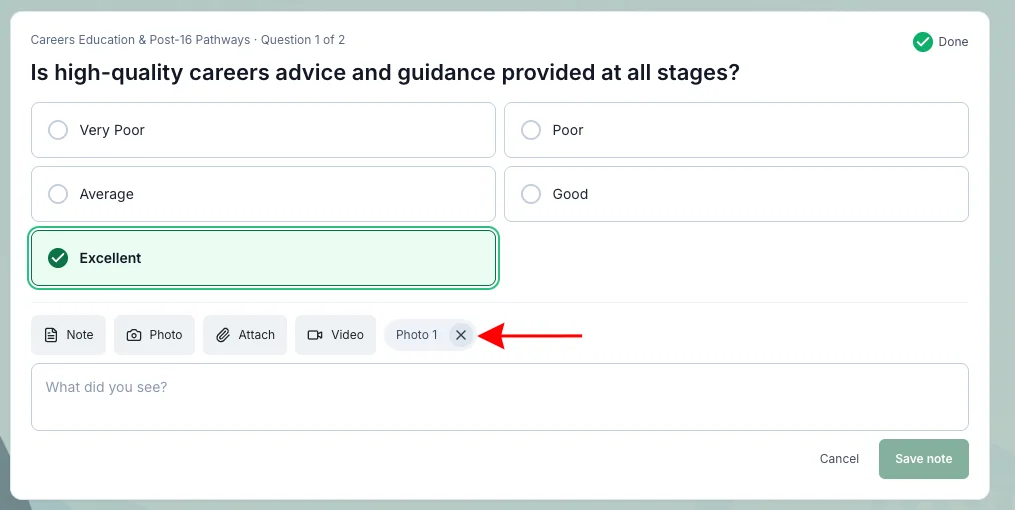
If you've added something by mistake, you can remove it by selecting the X next to the uploaded item.
Removed evidence can be restored by an administrator from the Recently Deleted Evidence area for up to seven days.
If you accidentally delete something important, contact your school's Learning Walks administrator for assistance.