How to finish a Classroom Visit early V2
If you're unable to answer all the questions during a Classroom Visit, you can choose to finish the visit early.
Select Finish Visit Early to see a summary of any outstanding questions.
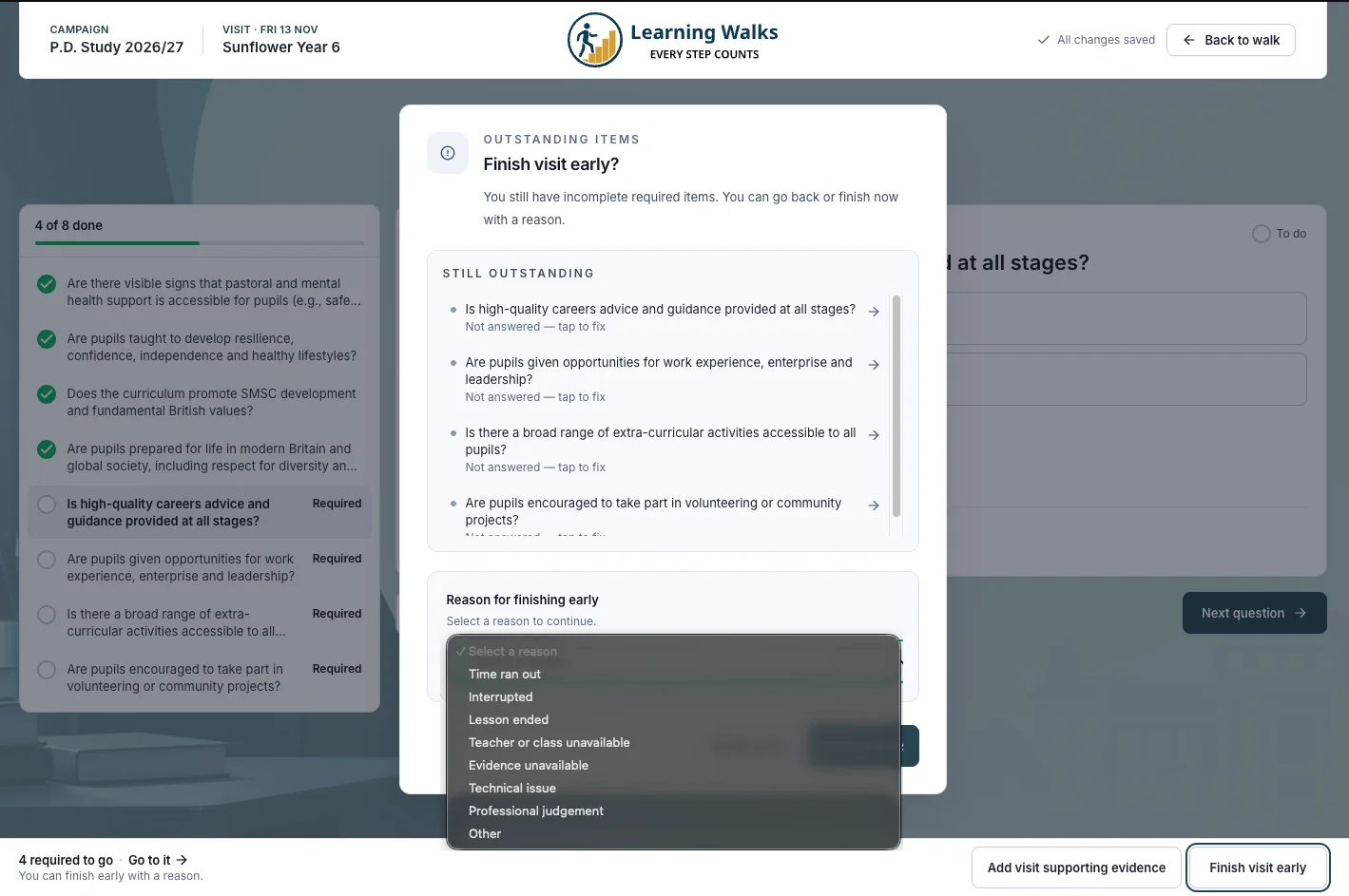
From here, you can:
- Complete outstanding questions: Select an unanswered question to return to it and add your response.
- Finish the visit early: Choose a reason from the dropdown menu to explain why you're unable to complete the remaining questions.
Reasons include running out of time, interruptions, the lesson ending, unavailable evidence or technical issues.
Once you've selected a reason, click Finish Early to end the Classroom Visit.
This allows you to finish a visit without completing every question, while recording why the visit ended early.